Overview
Finally, customer feedback that drives real action
Linked Actions bridges the gap between customer insights and product development by seamlessly connecting Unwrap's feedback intelligence directly to your team's workflow in Jira, Asana, and other project management tools.
Imagine this: You discover a critical customer pain point in Unwrap, and with just a few clicks, you've created a ticket in your project management tool—complete with context, sample feedback, and a direct link back to the insights. No context switching, no lost insights, no broken telephone between feedback and action.
The problem we solved
You know the frustration: You uncover game-changing insights from customer feedback, whether it's a product gap that's costing you customers, a bug that's driving churn, or a feature request that could unlock new market segments. But then what?
You screenshot the insight, jump to Jira, create a ticket, try to remember all the context, and hope the development team understands the customer impact. Or maybe the work is already being tracked somewhere, but you have no idea because it lives in a completely different tool. Meanwhile, weeks later, you're wondering: "Did we ever fix that thing customers were complaining about?"
Linked Actions eliminates this broken workflow entirely. Create new tickets directly from Unwrap when you discover untracked issues, or seamlessly link existing tickets that are already in progress. Now your customer insights and the work to address them live as one connected story, creating true accountability from feedback to feature delivery.
Workflows that will transform how you handle feedback
Never lose track of customer-driven work again
Every Group page now shows you exactly what's being done about customer feedback: due dates, current status (open, closed, etc.), and who's accountable. Finally, you can answer "What happened to that customer complaint?" with confidence instead of detective work.
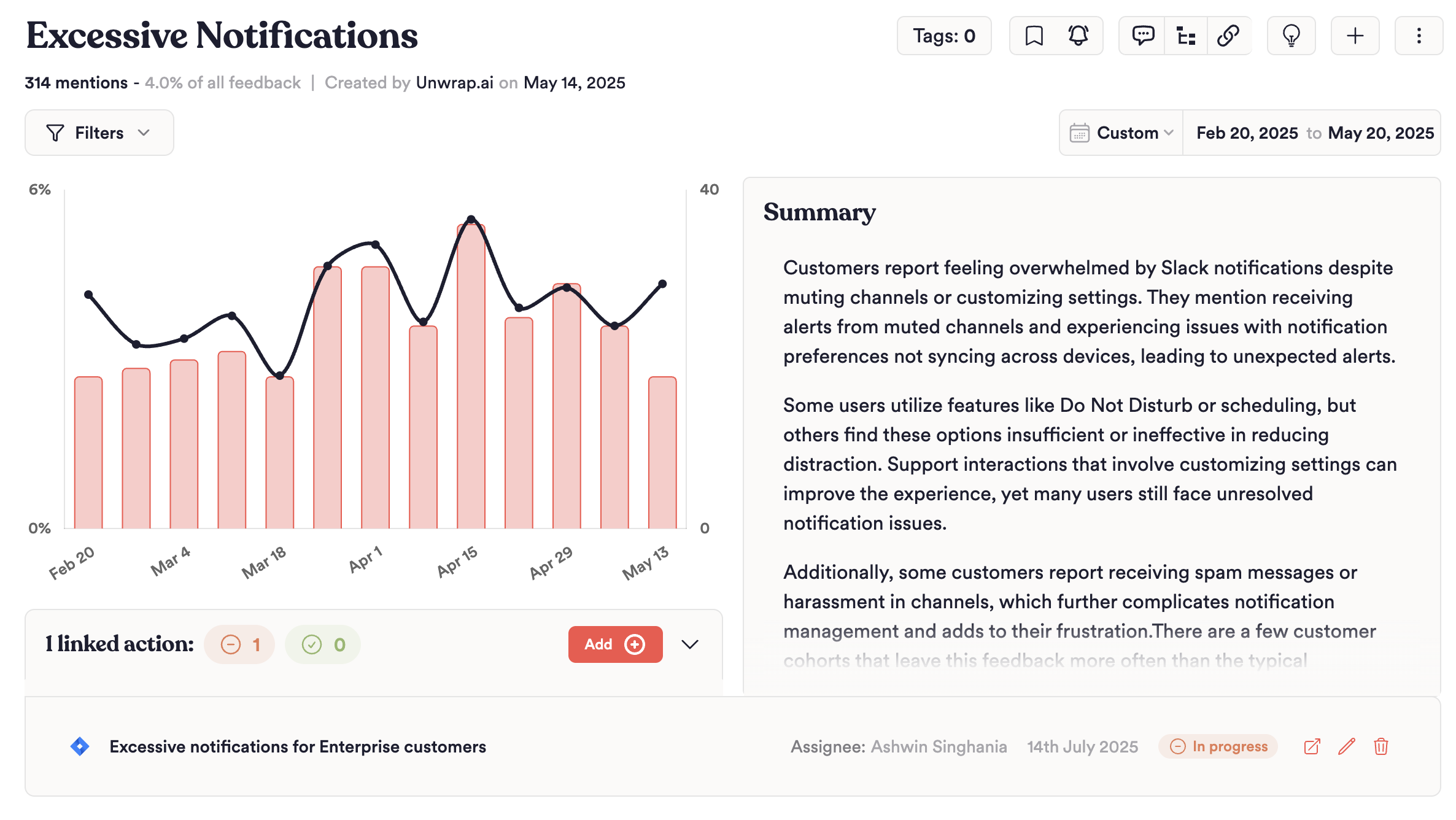
Create tickets without leaving Unwrap
Found a customer pain point that isn't being tracked yet? Create a ticket directly from the Group page—no context switching required. Unwrap automatically populates the ticket with the group title, sample customer feedback, and a link back to the full insights. Just select your project, assign it to the right person, and you're done.
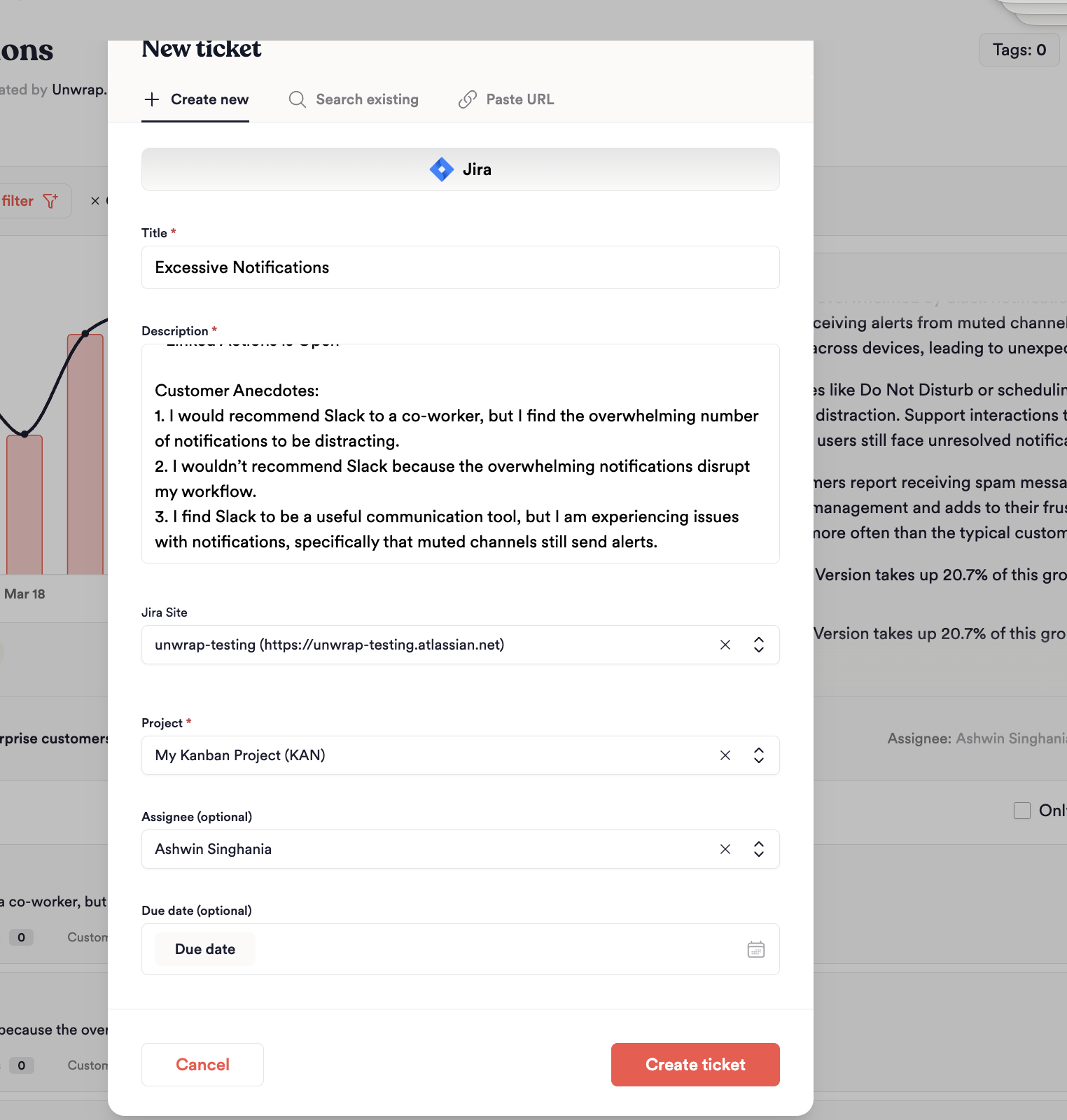
Search and link existing tickets
Already have work in progress? Search your projects directly within Unwrap to find and link existing tickets. Select a project, search by keyword, and link with one click.
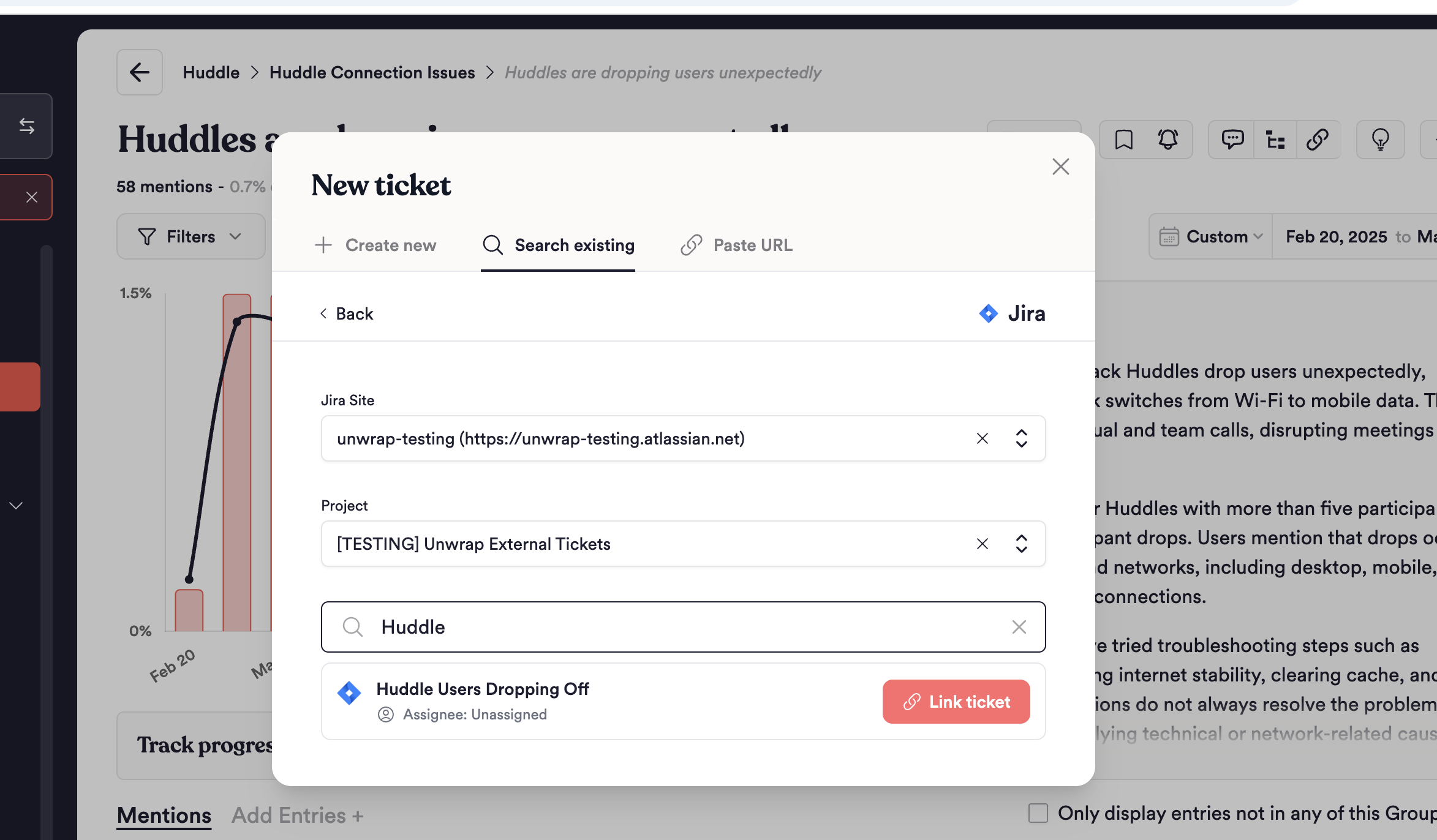
Instantly see what's being fixed (and what's not)
One filter on the Explore page shows you every customer issue that has active work assigned to it. No more wondering if that critical bug report fell through the cracks—if it's important enough to track, it's important enough to act on.
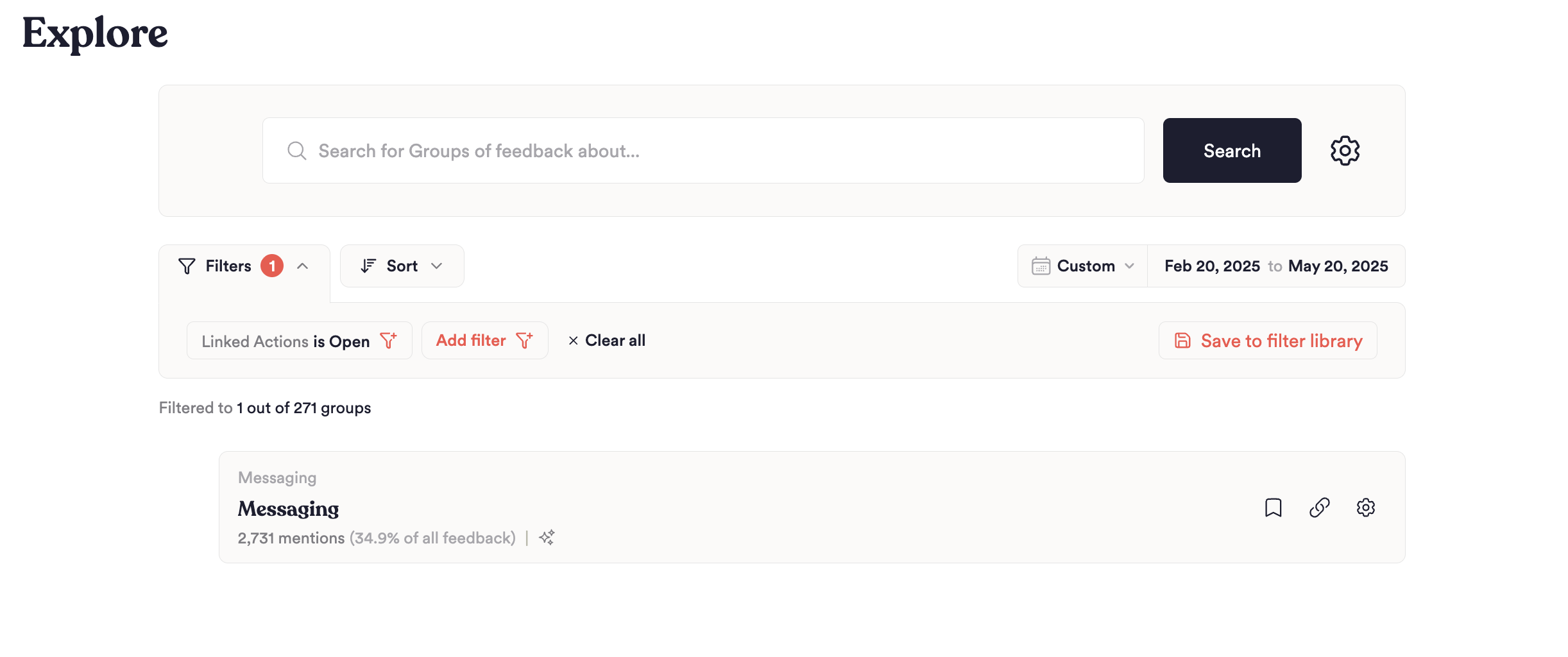
Spot the gaps before they become problems
Here's the game-changer: See every customer pain point that doesn't have work assigned to it yet. These are your blind spots—the feedback patterns that could be costing you customers while sitting in your backlog untouched.
Ready to connect feedback to action? Here's how:
What you'll need:
- Your Unwrap account (you're already here!)
- Access to one of our supported project management tools with permissions to add integrations
Step 1: Connect your tools in 60 seconds Head to your Organizations page, click 'Connect' next to your preferred tool, and complete the quick authentication flow. That's it—your tools are now talking to each other.
Step 2: Start linking insights to action From any Group page, click the 'Add' button to open the ticket modal. You'll have three options:
Create new – Create a brand new ticket directly from Unwrap. The title and description are pre-filled with relevant context, sample feedback, and any filters you have applied. Just pick your project, optionally assign it, set a due date, and hit create.
Search existing – Already have a ticket in progress? Search your projects directly within Unwrap to find and link existing issues. Select a project, search by keyword, and link with one click.
Paste URL – Have a ticket URL handy? Simply paste it in and Unwrap will automatically detect the platform, validate the ticket, and link it to your group.
Watch as your feedback-to-feature pipeline becomes transparent and accountable.
Supported Tools
Linked Actions currently supports the following project management tools:
| Tool | Search & Link | Create | Paste URL |
|---|---|---|---|
| Jira | ✓ | ✓ | ✓ |
| Asana | ✓ | Coming soon | Coming soon |
| Linear | ✓ | Coming soon | Coming soon |
See our Jira setup guide for authentication requirements.
Full feature support for Asana and Linear coming soon!
Have a tool you'd like to see supported? Let us know at contact@unwrap.ai.