December
Linked Actions, Chart Improvements, and More
This month’s updates includes new ways to connect insights to action, expanded charting capabilities, and additional quality of life improvements.
Linking Insight to Action - Instantly Create Tickets Within Unwrap
Linked Actions bridges the gap between customer feedback and taking action. Connect Unwrap feedback Groups directly to tickets in Jira, Linear, and Asana—so you always know which customer issues are being addressed and can filter your feedback by real-time ticket status.
Create tickets from feedback, instantly
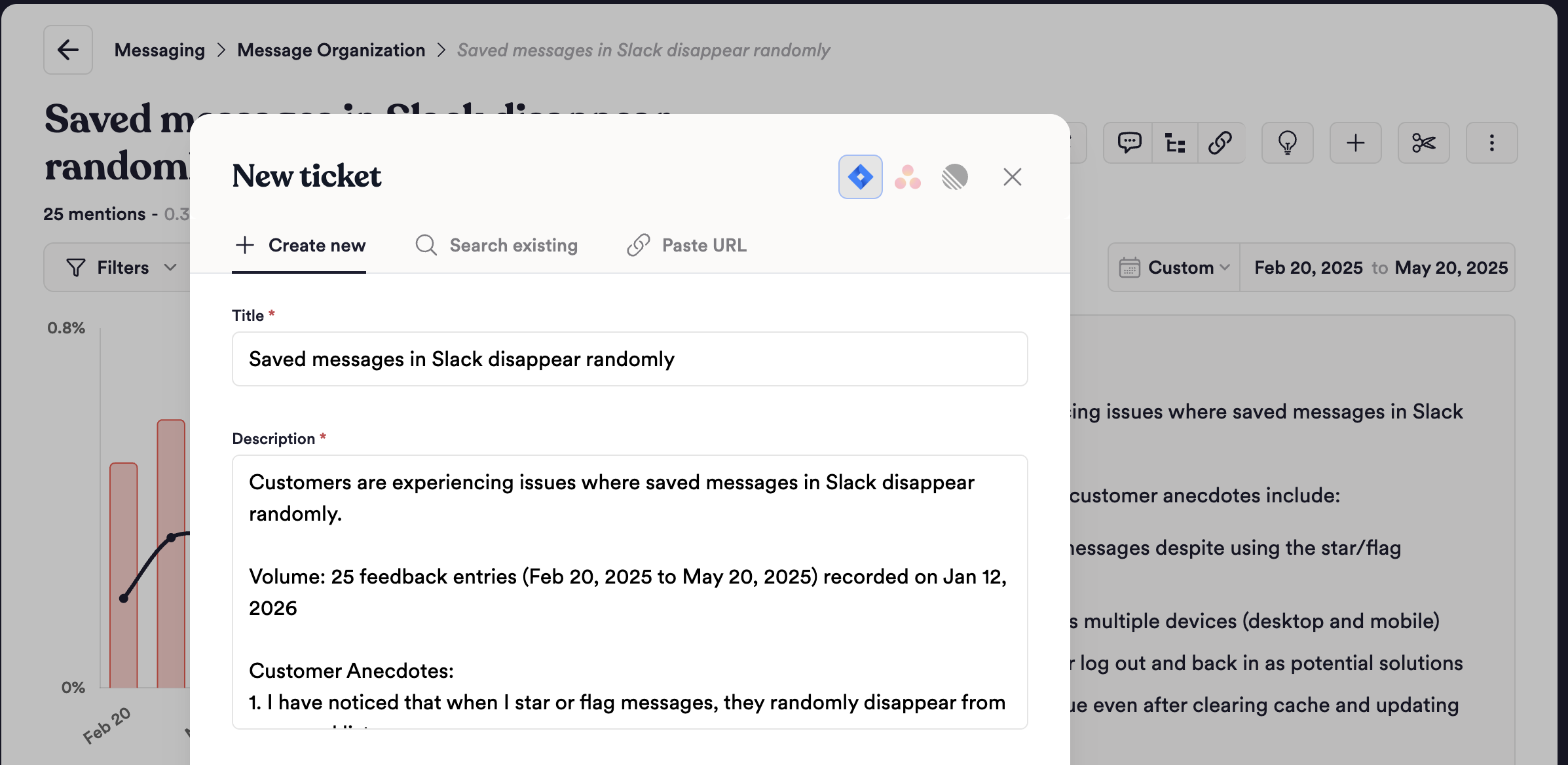
Now, you can instantly create tickets directly within Unwrap. Turn any feedback group into an actionable ticket in Jira, Linear, or Asana with one click. Ticket descriptions automatically include relevant context, including a summary of customer pain points, the size of feedback given a time period, and real customer anecdotes.
Search and link existing tickets
Already have tickets in progress? Search your projects directly within Unwrap to find and link existing tickets. Select a project, search by keyword, and link with one click.
Ready to connect feedback to action? Set up Linked Actions today with this guide.
Board Improvements
Big Number Visualizations
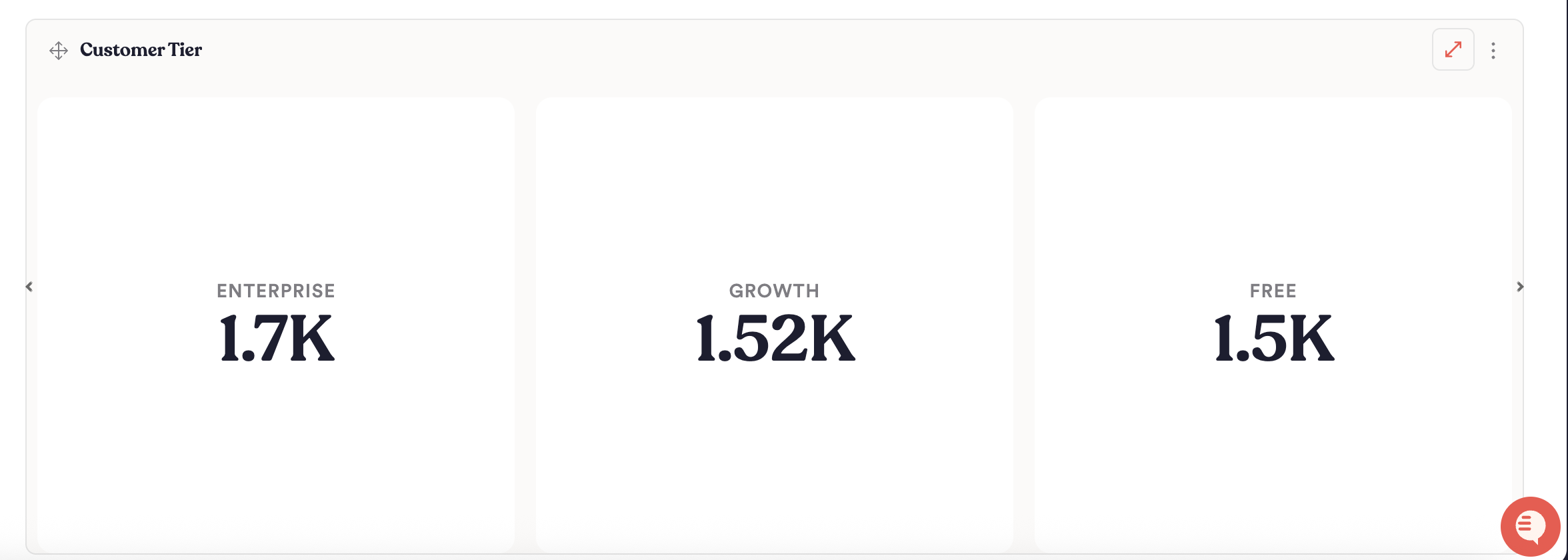
We're introducing Big Number visualizations that allow you to put a single standout statistic front and center. Whether it's total feedback volume, current NPS score, or any key aggregate—display it boldly on your board with the new big number chart type. Perfect for executive dashboards and at-a-glance reporting.
Export Chart Data to CSV
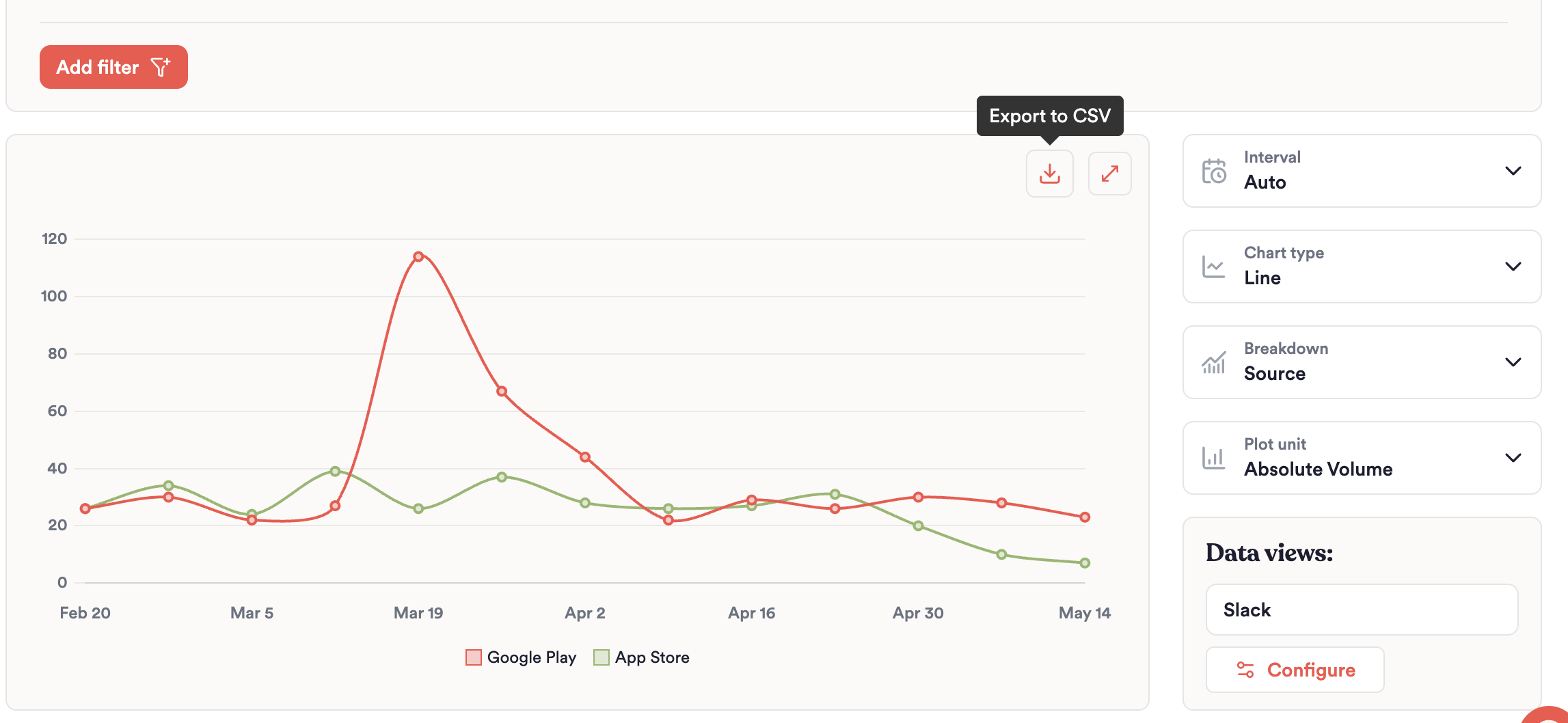
You can now export any chart's underlying data directly to CSV with a single click. Whether you're pulling numbers for a quarterly business review, feeding data into another tool, or just want a spreadsheet backup of what you're seeing—it's all there.
Quality of Life Improvements
- The Assistant now does a better job at surfacing relevant feedback anecdotes, particularly for more narrow topics where your query may not match well to existing Groups in your feedback taxonomy on the Explore page.
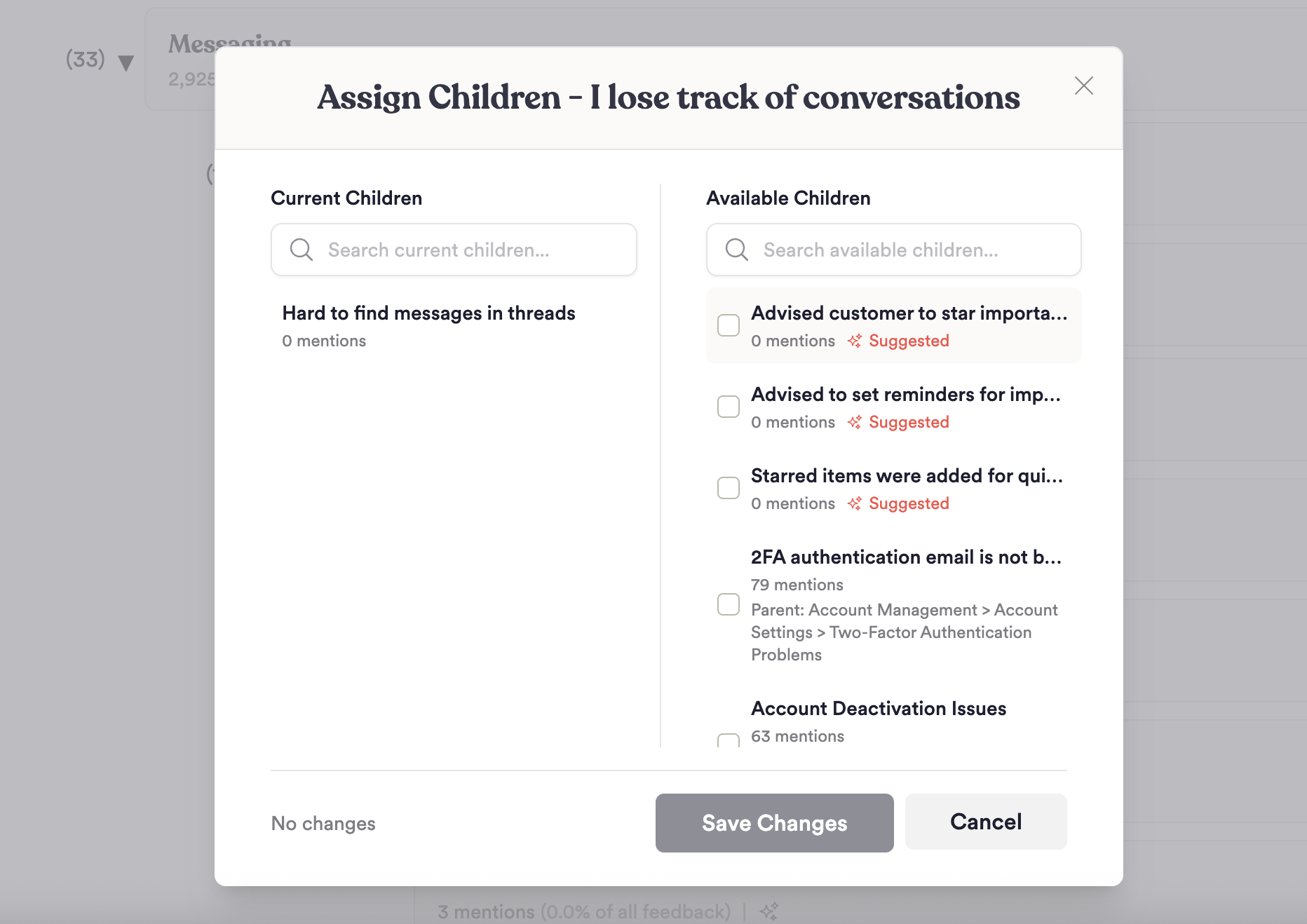
- Taxonomy management is now easier with updates to the Explore Page. Instantly assign child or parent Groups while a group is building. Then, update Group relationships in bulk by selecting multiple children under one parent. To access, just click on the Group “Options” button for the Group within the Explore Page and select “Assign Parent” or “Assign Children.”