May 2026
Last updated: June 11, 2026
Unwrap Assistant in Slack
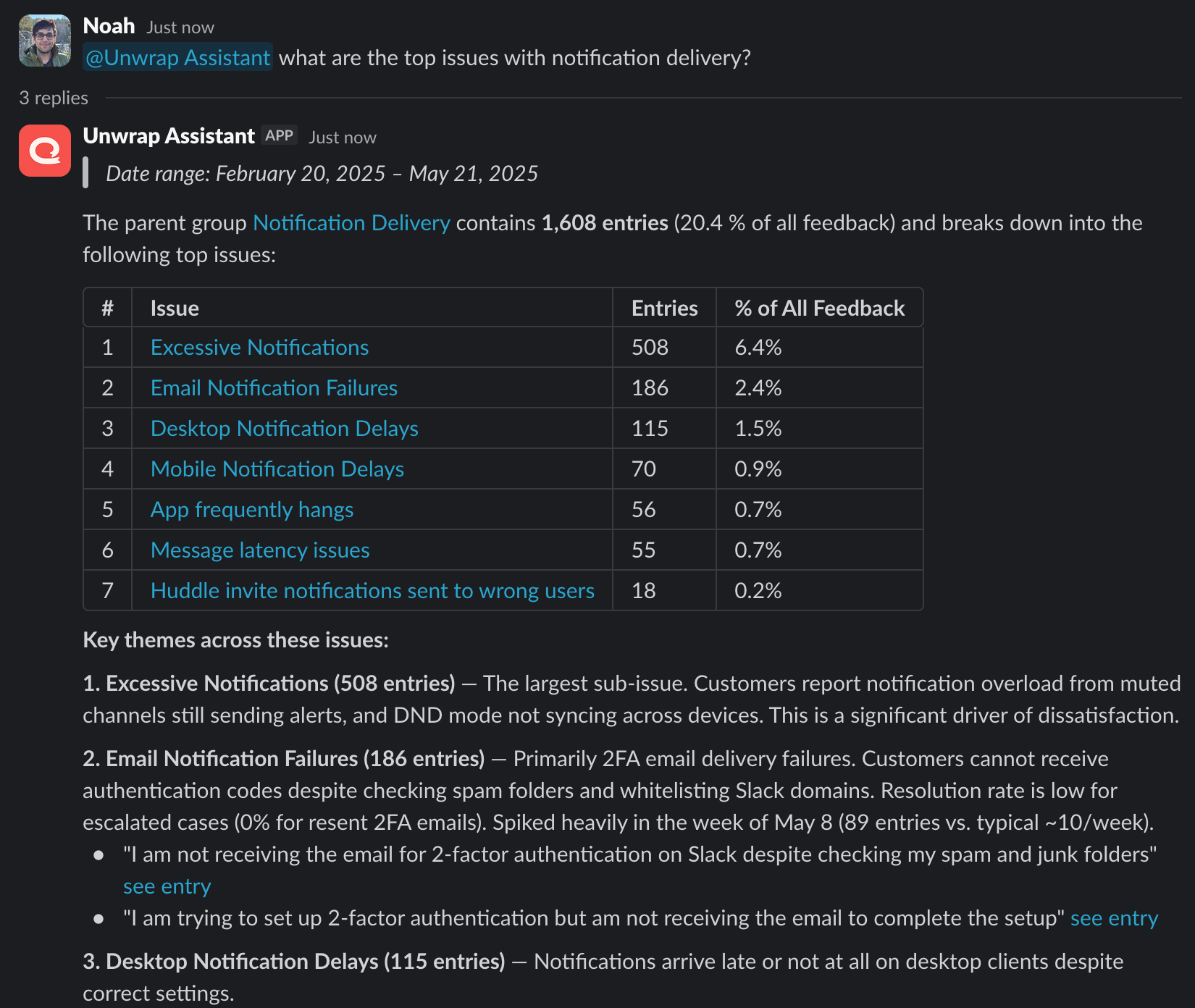
Ask questions about your feedback right where your team already works. The Unwrap Assistant is now available in Slack — anyone in your approved channels can ask it questions and get answers grounded in your Unwrap data without leaving the conversation.
What you can do:
Ask plain-text questions, follow up in thread, and see charts and tables inline in the response
Use /unwrap list and /unwrap view to switch which feedback view the Assistant is querying
Give every Slack member access — no Unwrap account required, and no per-seat setup
Scheduled Reports
Turn any Assistant conversation into a formatted report you can send once, deliver on a recurring schedule, or download as a PDF. Stakeholders get fresh insights on their cadence, without anyone rebuilding the same analysis week after week.
What you can do:
Send a report once to any list of recipients via email or Slack
Schedule recurring deliveries — daily, weekly, bi-weekly, or monthly
Each run regenerates the report from the underlying Assistant conversation, so content reflects the latest data and analysis
Download a PDF for sharing outside Unwrap
Manage schedules and recipients from a centralized Subscriptions page; teammates can self-manage their own subscription status
Group Page Breakdowns
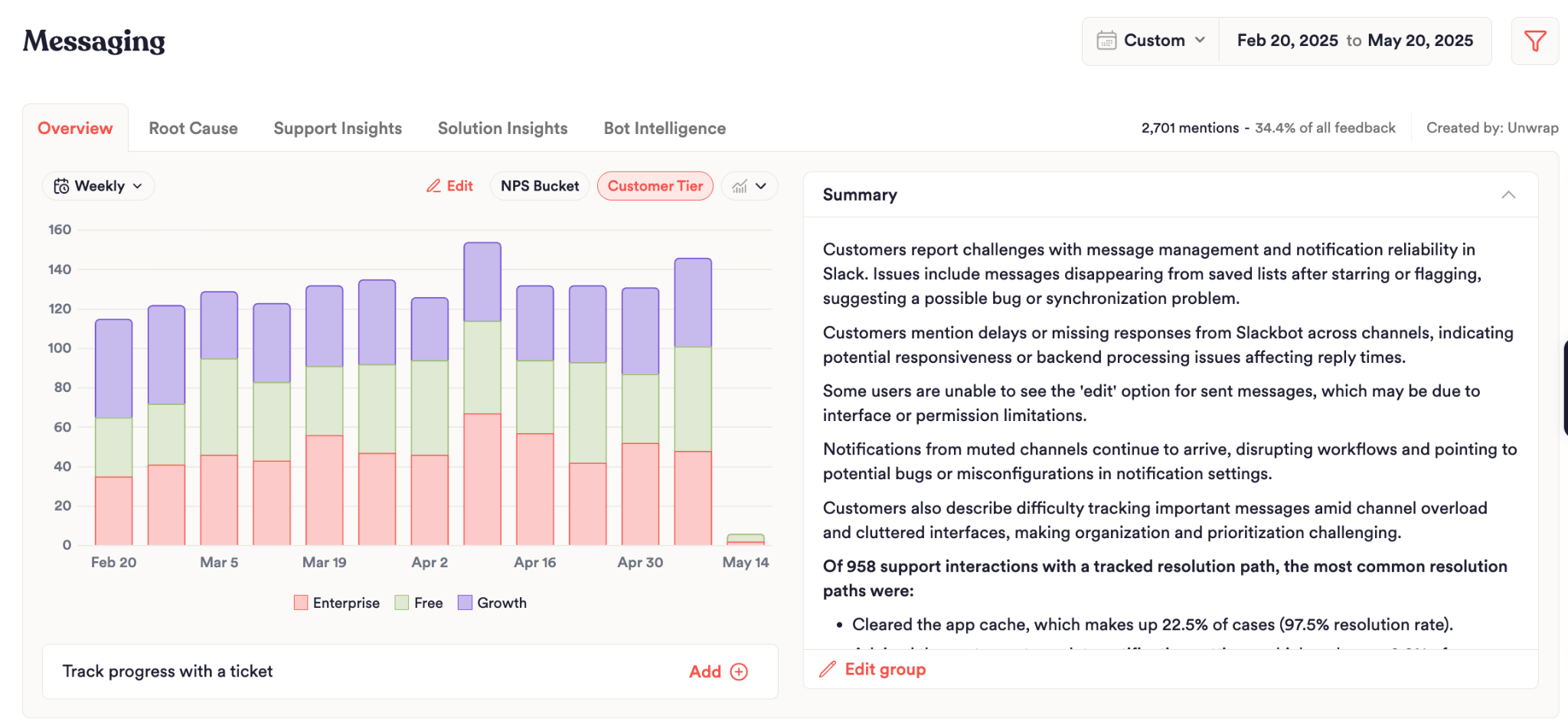
See which cohort is driving any Group's feedback at a glance. Group pages can now be broken down by any custom field — tier, region, role, plan, persona, or any custom field — so you can spot which cohorts over-index on a Group instead of slicing the data by hand.
When a Group spikes, the first question is always "who's affected?" Breakdowns answer that without ever leaving the Group Page.
Custom Fields Page
Manage your custom fields globally instead of integration by integration. The Custom Fields page gives you a single place to see every field across your feedback, which integrations populate it, and how it's used — so the metadata that matters stays consistent everywhere it shows up.
What you can do:
See which integrations populate each field, with coverage and sample values at a glance
Set priority to control which fields surface on feedback cards and boards
Connect a field to data from your integrations, or set a fixed override value
Add new integration mappings to extend a field's coverage across more sources
Configuring custom fields is limited to Admins.
Filter-Based Groups
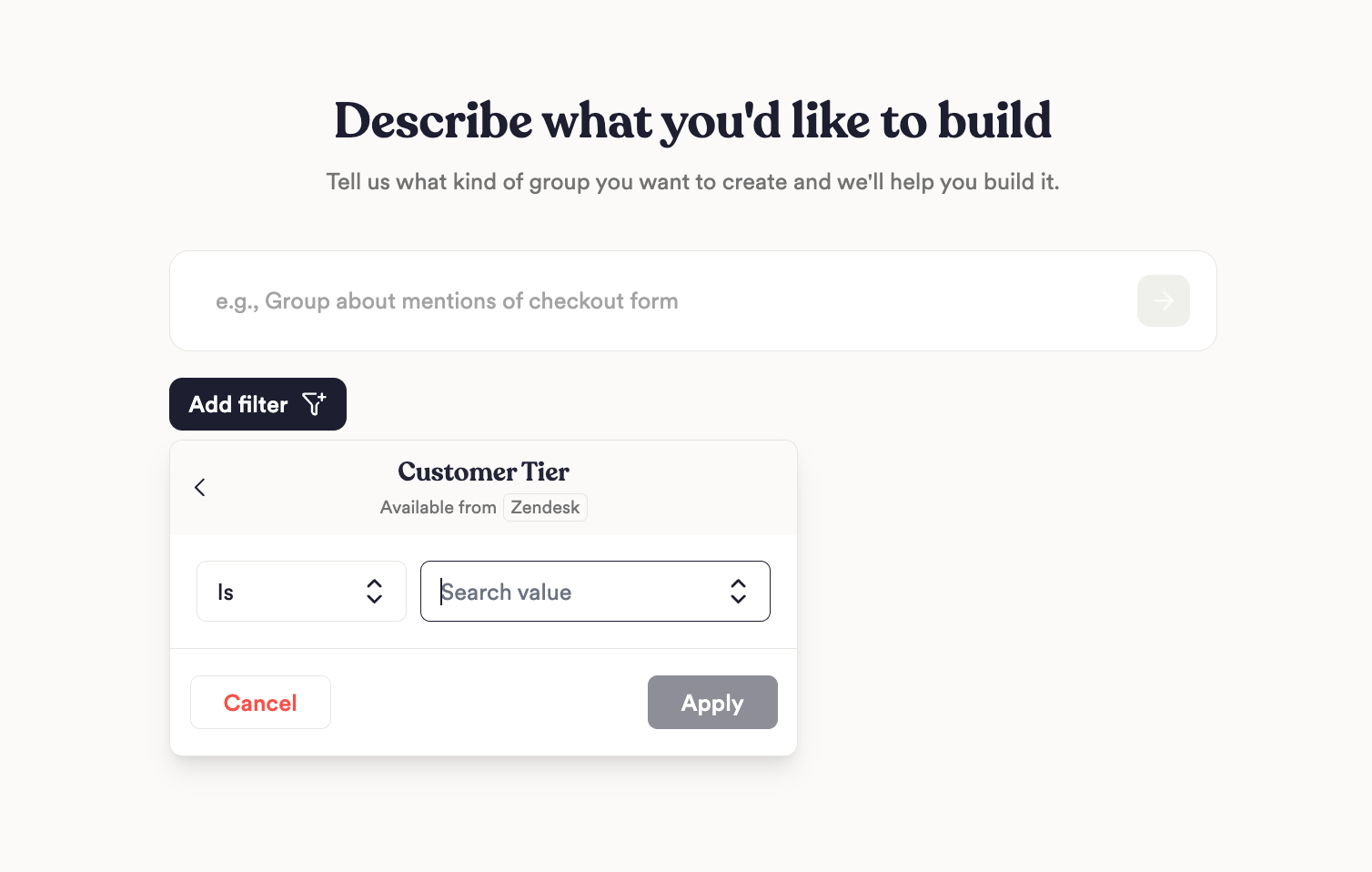
Put your metadata to work in your taxonomy. For teams with rich custom fields, Filter-Based Groups add another layer on top of Unwrap's semantic group assignment — so you can build more precise Groups by combining what feedback is about with who it's from, the source it's from, or any other dimension your data captures.
What you can do:
Create a new Group with a pre-scoped filter, or apply a filter to an existing Group
Scope child Groups to entries in their parent for clean hierarchical drill-down
Child Groups inherit parent filters automatically
Color Palettes
Make your boards match your brand and your reporting vocabulary. Color Palettes let you customize the colors used across your charts so every visual is consistent with your company branding.
What you can do:
Pick a palette that applies across your boards, with sentiment colors customizable to match your conventions
Pin a fixed color to any dimension value (e.g. "iOS" always in your brand blue) so the same segment looks the same on every chart
Override the display label for a value (e.g. rename "promoter" to "Promoters" for executive readouts) — color-only, label-only, or both
Keep reporting consistent across boards and stakeholders without editing each chart by hand
New Integrations
Sprig — import Sprig survey responses as feedback for product research and in-product survey analysis
Microsoft Dynamics 365 — bring D365 case and incident data into Unwrap
Loop Returns — import return reasons and customer comments to surface why shoppers send products back