Deleting Feedback
Last updated: November 11, 2026
You can use the Feedback page to permanently remove feedback you no longer want in Unwrap.
Before you begin
You must be an Organization Admin with access to the View. If you don't see Delete feedback, ask your Organization Admin for help.
Deletion is permanent. Deleted entries are removed from Unwrap and all Groups in the selected View. This cannot be undone.
Delete the feedback in your source system first if you need to prevent it from being imported again. Deleting an entry in Unwrap does not delete the original record in a connected system, such as Zendesk.
You can delete up to 10,000 entries at a time.
Delete feedback from the Feedback page
1. Find the feedback and open the actions menu
Open the Feedback page in the View containing the entries you want to delete. Use search, filters, and the date range to find the feedback you want to remove. For help narrowing the list, see Filtering Feedback.
Open the three-line menu at the top right of the Feedback page and choose Delete feedback.
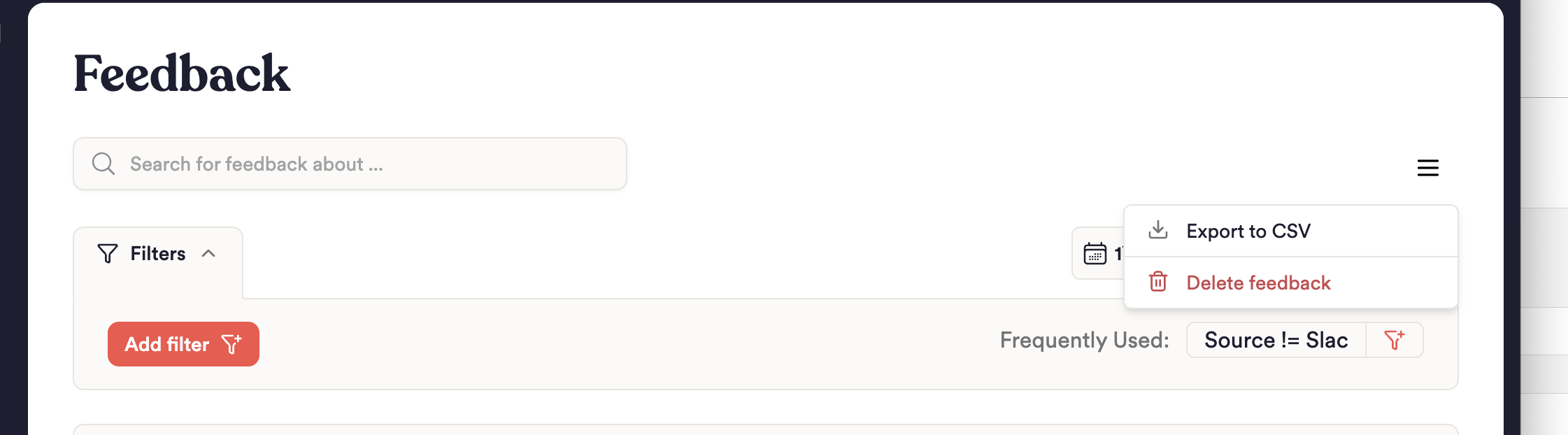
Choose Delete feedback to begin selecting entries.
2. Select the entries to delete
Select the checkboxes beside the entries you want to delete. You can also choose Select all shown to select the entries currently loaded in the list. Check the selected count before continuing.
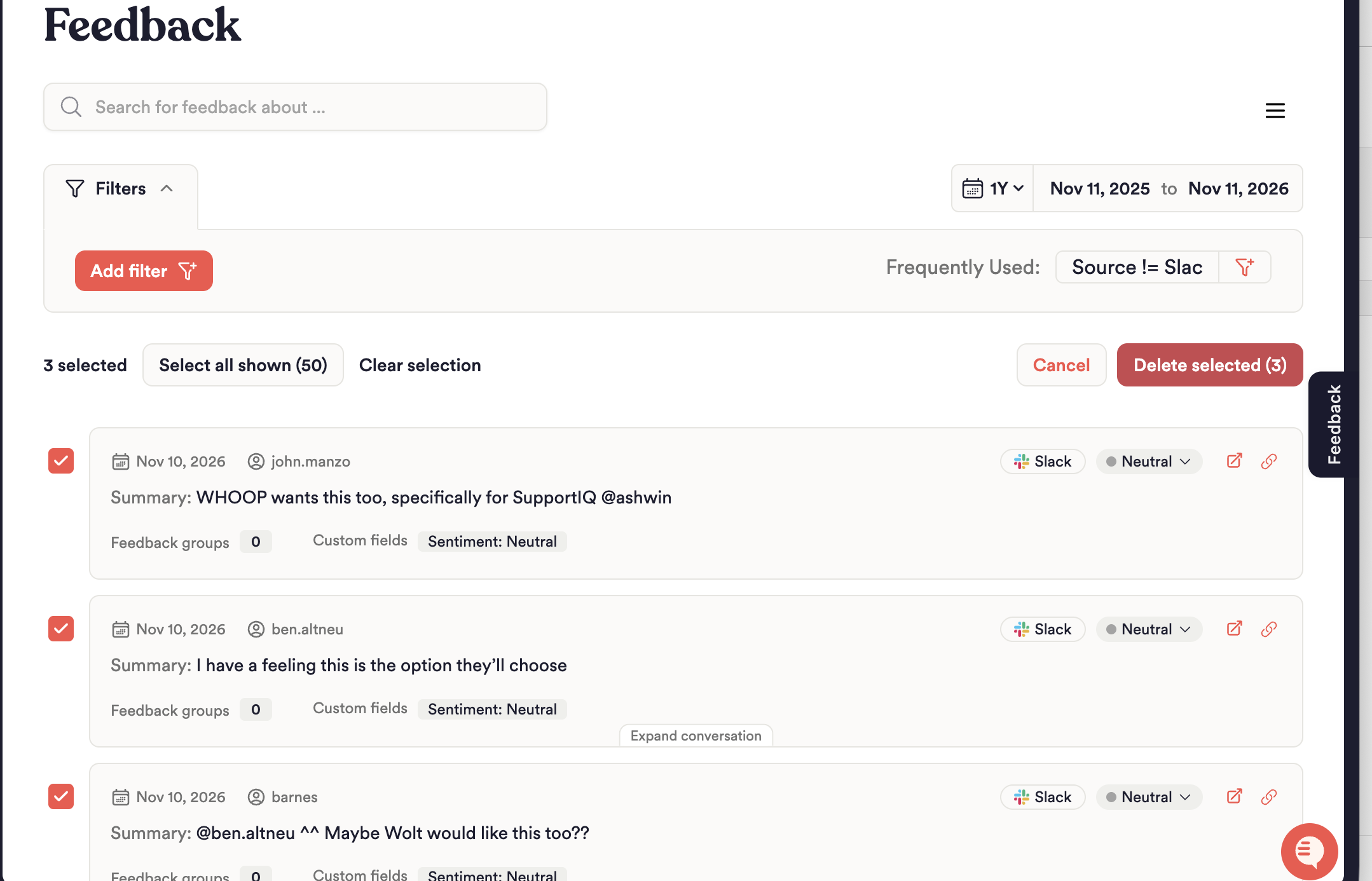
Review the selected count, then choose Delete selected.
Select all shown selects the entries currently loaded in the list, which may be fewer than the total number matching your filters. Changing your search or filters clears your selection, so finish narrowing the list before selecting entries.
Use Clear selection to deselect all entries, or Cancel in the selection toolbar to leave deletion mode.
3. Review and confirm deletion
Click Delete selected.
Wait while Unwrap checks the selected entries, then review the number of entries that will be permanently deleted.
Type the confirmation text exactly as shown—for example,
DELETE 25 ENTRIESorDELETE 1 ENTRY.Click Delete from Unwrap to start deletion.
To change your selection before starting deletion, close the confirmation dialog with Cancel.
What happens next?
Deletion runs in the background. The Feedback page displays Deleting feedback… while the operation is in progress. Unwrap emails you when deletion finishes.
When deletion completes successfully, the page refreshes and shows how many entries were deleted. If the operation finishes with errors, review the message on the page. Contact Unwrap Support if you need help resolving the issue.
Troubleshooting
I don't see Delete feedback.
Check that you are an Organization Admin with access to the selected View. A Contributor role alone does not grant permission to permanently delete feedback.
My selection exceeds 10,000 entries.
Select fewer entries or narrow your filters, then delete the feedback in smaller batches.
The confirmation shows no entries available to delete.
The selected entries may already have been removed. Refresh the list and select the remaining entries.
Deleted feedback appeared again.
A connected integration may have imported the record again. Remove it from the source system first to prevent re-import.
Related articles
Entry Deletion API Documentation — for deleting feedback programmatically.