July 2026
Last updated: September 4, 2026
Reports Page Improvements
Reports Templates
Reporting on the same thing every month — for a different customer segment, region, or product line? Report Templates turn any report you've built into a reusable definition your whole team can run against, so you set the analysis up once and reuse it wherever you need it.
Save the instructions, data sources, and structure of a report as a template your team can run whenever a stakeholder asks for a fresh cut
Generate a one-off report from a template on demand, or schedule it as a recurring subscription that always uses the same setup
Share templates across your team so reporting stays consistent
Fan out a single template into multiple subscriptions at once by breaking it down across any custom field (e.g. location, customer segment, product SKU)
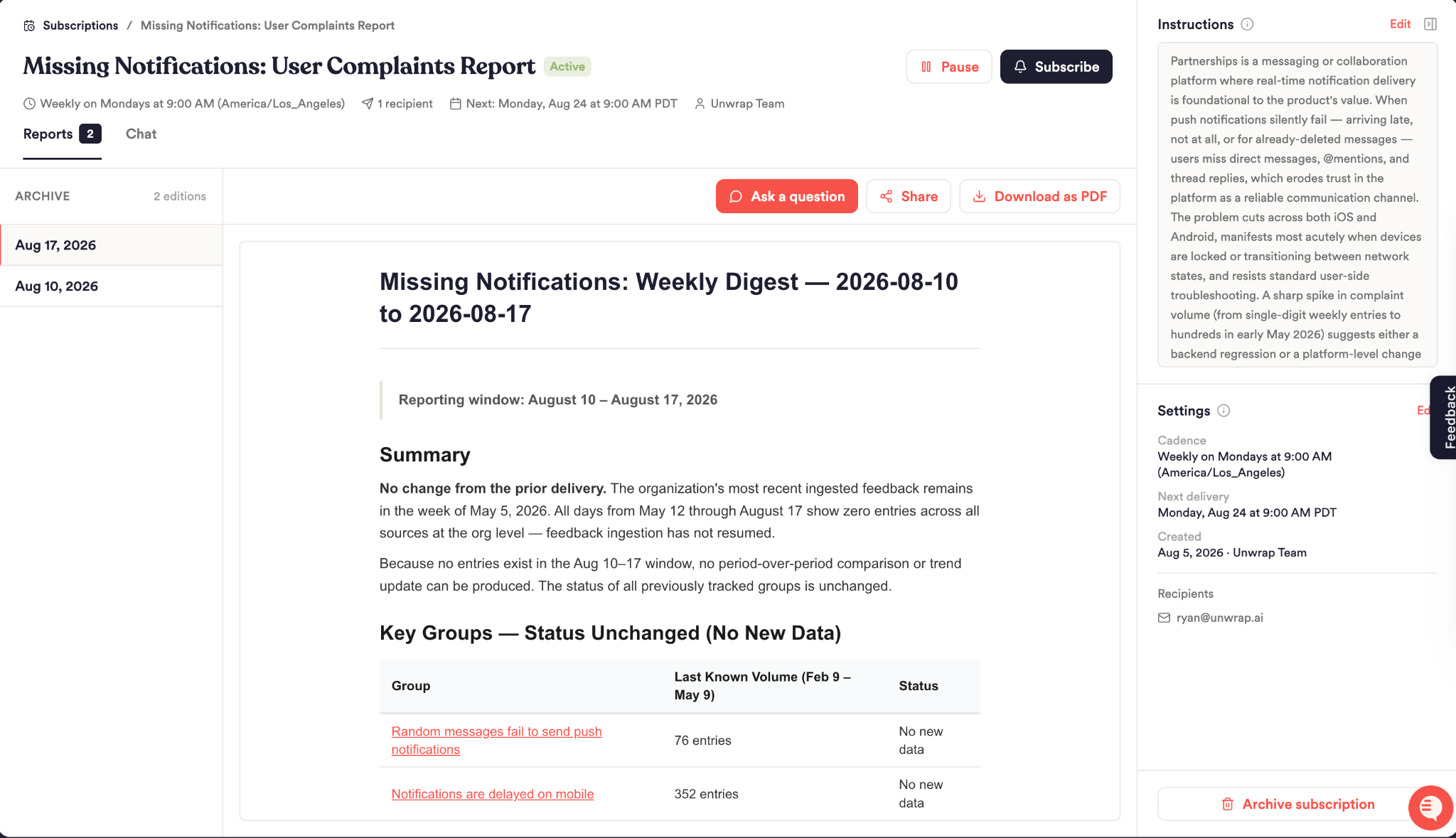
Manage Recurring Reports
See every report subscription tied to your team, with the full history of past editions
Update the context and instructions behind any subscription
Chat with Report Subscriptions
Ask follow-up questions directly within a report to dig deeper into the issue
Re-run a past edition against a different time window or filter to test a hypothesis without waiting for the next scheduled send
MCP and Assistant Tool Improvements
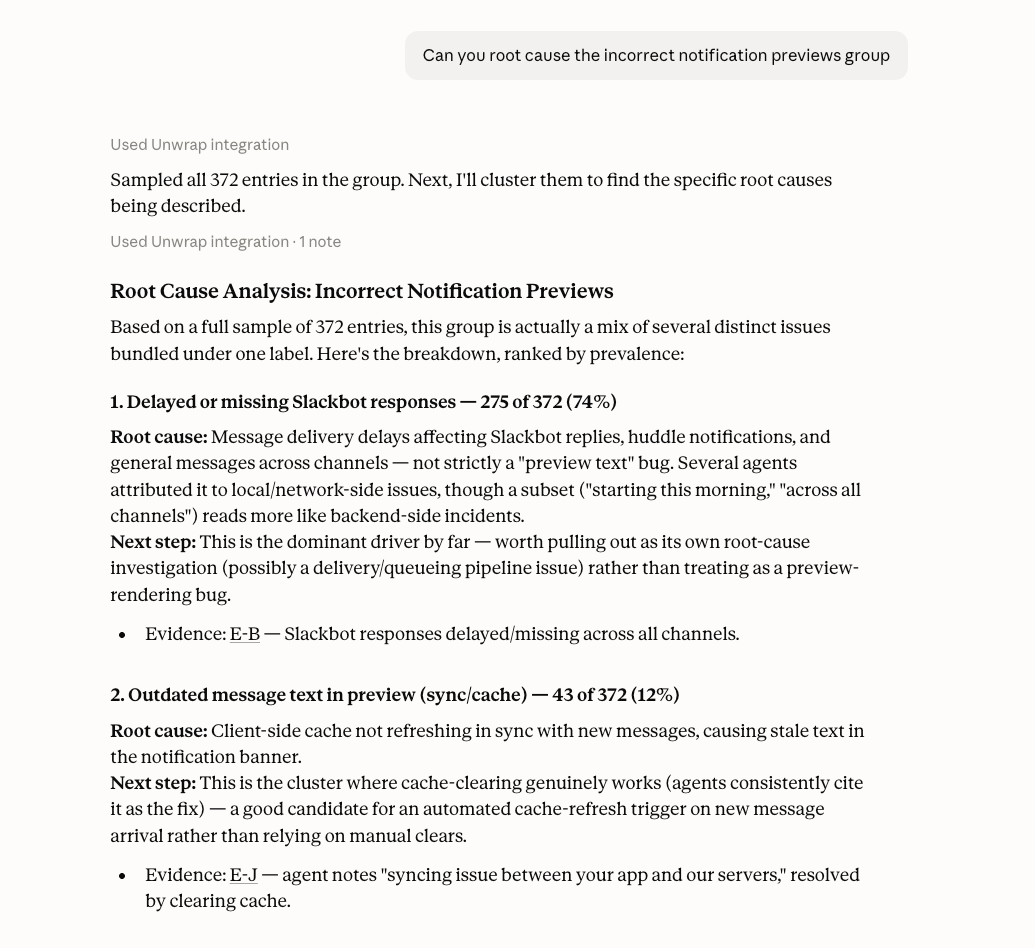
The Assistant and MCP now share a new query_feedback_data tool that gives you direct access to raw statistics as if you were writing SQL — including counts, breakdowns, raw custom field values, and cross-cutting aggregations that previously required many separate tool calls.
What you can do:
Ask for quick stats on a group without opening the Unwrap app
Eg: “How many unique accounts have left feedback on Huddles”
Pull raw custom field values or feedback samples for any group or filter set (up to 500 entries at a time)
Eg: “For the Delayed Notifications group, retrieve sample feedback including the user's account tier and mobile platform”
Run multi-field breakdowns in a single question
Eg: “Show me the top 5 groups each data source contributes to”
Deep Group Analysis in the MCP
You can now use get_group_insights_playbook to run an analysis to a group. Ask questions like:
What's really driving this spike in negative feedback? What are the root causes of this issue?
Where are human agents stepping in on cases our bot couldn't handle?
How consistent is our support response across this group of feedback?
Easy On-Site Survey Installation
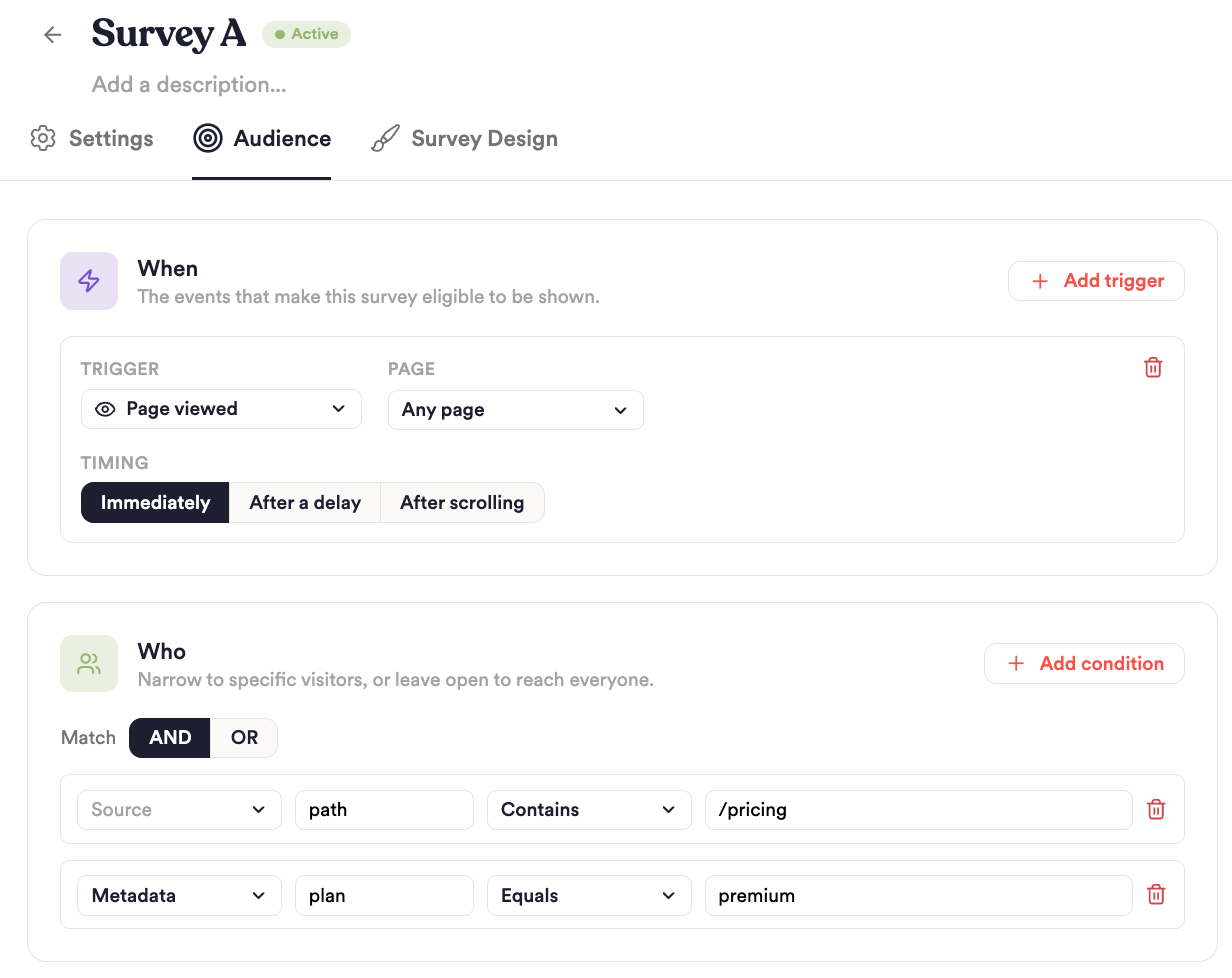
Creating surveys for your website just got a lot easier. Now you can set up surveys with a two-step self-serve flow from the new Surveys Installation page.
What you can do:
Get your workspace's install code once, add it to your site once, and every future on-site survey ships through the same install — no new engineering ask each time you want to run a new survey
Any further surveys, page targeting, or different drawer/modal/pop out settings for that site install can be configured in Unwrap - no additional technical work required. So you can easily control who sees your surveys, where, and how.
New Integrations
- Sierra AI — ingest conversations from Sierra's AI agent platform
- 8x8 — pull contact-center conversations from 8x8 into Unwrap
- Discourse - pull topics and replies from your Discourse community forums into Unwrap
- Rally - pull user research interviews from Rally UXR into Unwrap