SupportIQ
Last updated: September 14, 2026
SupportIQ allows you to do in-depth analysis and identify quality gaps in each support interaction, as well as set coaching focus for support agents. The objective is to help support leaders identify systematic improvements to how their teams (and bots) handle support cases, and to provide individual support agents curated coaching.
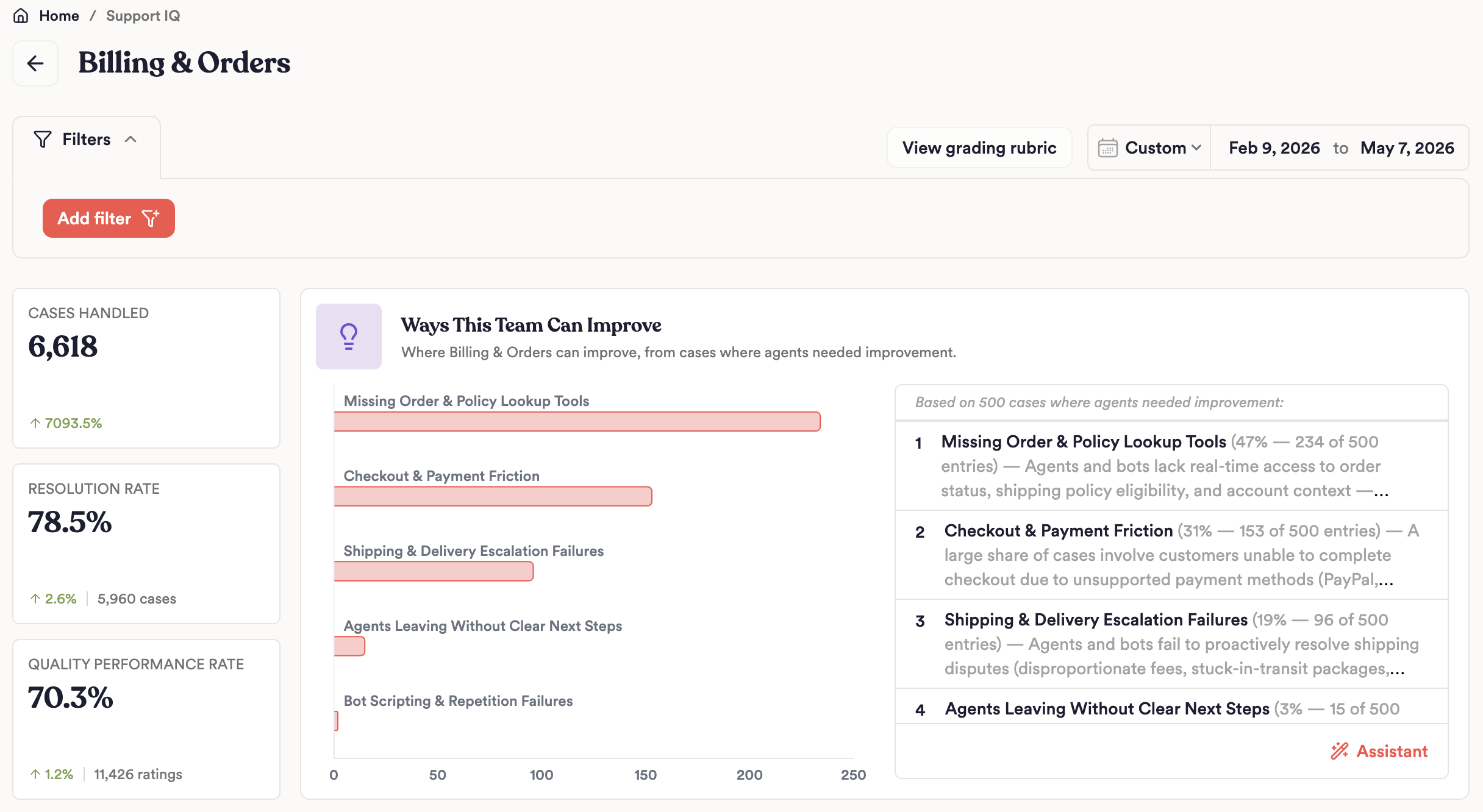
SupportIQ Page Access
If SupportIQ is enabled for your account, you will see the SupportIQ tab in your left sidebar. SupportIQ is a paid add-on module, so contact your account manager if you would like to enable it on your organization.
Access Permissions/Role Types
There are two new role types in SupportIQ:
Support Managers - this role is intended to manage support quality programs. Users can access the full SupportIQ page, build coaching reports, correct AI grades of agent performance, and make changes to grading rubrics and SOPs. Support Managers also have access to use the Assistant, Boards, and Home pages, just like Viewers.
Support Agents - this role grants very limited access. Agents can access their own page to view cases they've worked and their coaching areas, but nothing else
Grading Dimensions
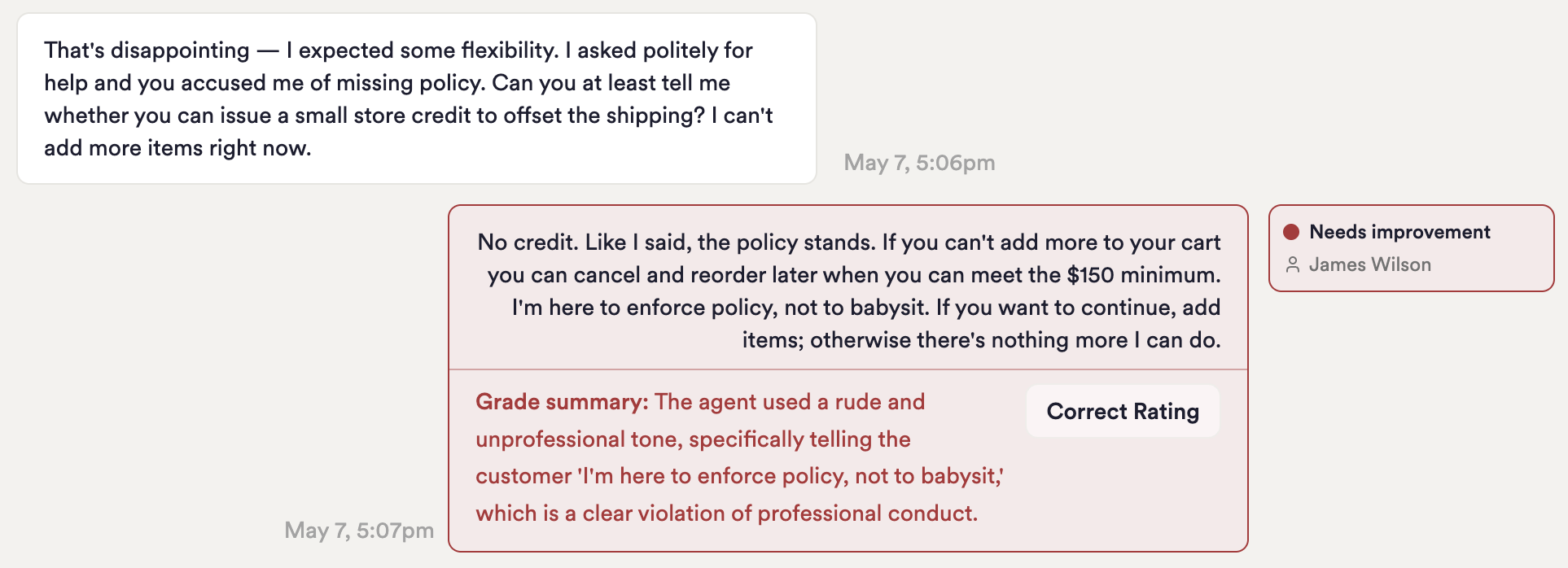
SupportIQ uses AI to assign grades two dimensions to each support interaction:
Agent performance grades whether each agent (bot or human) within a support interaction handled the case well, according to to the rubric. Agents can be assigned a grade of Satisfactory, Needs Improvement, or Neutral (assigned rarely, only when the agent's contribution to the case was inconsequential).
Resolution status grades if a case ended with the customer's problem being resolved, and can be assigned a status of Resolved, Unresolved, or No Resolution Status (assigned where there isn't enough signal from the transcript to clearly make a determination)
SupportIQ grades on these two dimensions because they are sometimes independent variables. Agent performance grades whether the agent performed their job to high standards of customer care, and if they followed the right procedural steps. However, an agent can do all the right things, but a customer can still leave with their problem unresolved. In fact, these cases are often the most indicative of policies that frustrate customers, tooling gaps that limit support agents, or feature gaps/bugs in the product. Conversely, an agent can handle a case poorly, frustrating a customer, but still eventually arrive at a resolution.
Changes to Grades
Support Admins can make changes to grades that our AI assigns. Changes require a justification and a change history is stored for auditing purposes. Changes get fed back into the Unwrap grading rubric for the the future.
Rubric
Universal rubric
By default, SupportIQ grades each case using our universal rubric, which is designed to grade common traits of a strong support performance, such as empathy, solving the correct problem the customer describes, avoiding placing unnecessary hassle or friction on the customer, being logically consistent, and explaining next steps and timelines clearly, especially when the case cannot be solved immediately.
The same rubric is used to grade each support case, regardless of the type of case. The universal rubric does not grade whether agents took the right procedural steps as outlined in your internal SOPs (see below). The rubric can be accessed from the SupportIQ page.
You can request changes to the universal rubric by working with the Unwrap team. Self-service changes to the universal rubric are not yet available but are planned.
Standard Operating Procedures (SOPs)
If you have specific procedural steps you want to grade against against, you can upload SOPs into Unwrap and these will be used to grade agent performance. SOPs are case-type dependent and can be uploaded on any Group within your taxonomy. Only Support Manager and Admin roles can edit SOPs.
As an example, let's say you have a standard process support should follow when a customer contacts support requesting to change the email associated with their account. You always want agents to ask the user to confirm the social security number, date of birth, and answer one security question. You never want the agent to change the email address if the account is flagged as 'in review'. The base rubric won't know the internal process requirement. Instead, you can add this as SOP to the Group "I need to change the email address associated with my account" in the Unwrap taxonomy. Now, any case that's categorized about this will use this SOP to evaluate the agent's performance.
Re-grades
Changes to SOPs or the universal rubric, by default, will only impact on grades moving forward. If you need to re-grade historical cases for historical analysis, please work with your Unwrap account manager to trigger a re-grade. Self-service regrade backfills are not yet available self-service.
Reporting
Support IQ Dashboard
The dashboard on the SupportIQ page provides roll-up statistics at the overall level, broken out by support team, and then broken out by each agent on each team. At each level, you can see case and their grades, as well as a roll-up summary of ways to improve. You can also use the Assistant to ask specific questions.
Coaching focus
On each agent's page, support managers can set focus areas to coach their support agents. For example, Unwrap may identify that a particular agent needs to focus on asking clarifying questions before sharing overly generic/scripted responses. That agent's manager can log that as a focus area so that it's agreed upon between then and the agent, and the manager can monitor progress on that focus area over time, to ensure progress.
Assistant-generated Reports
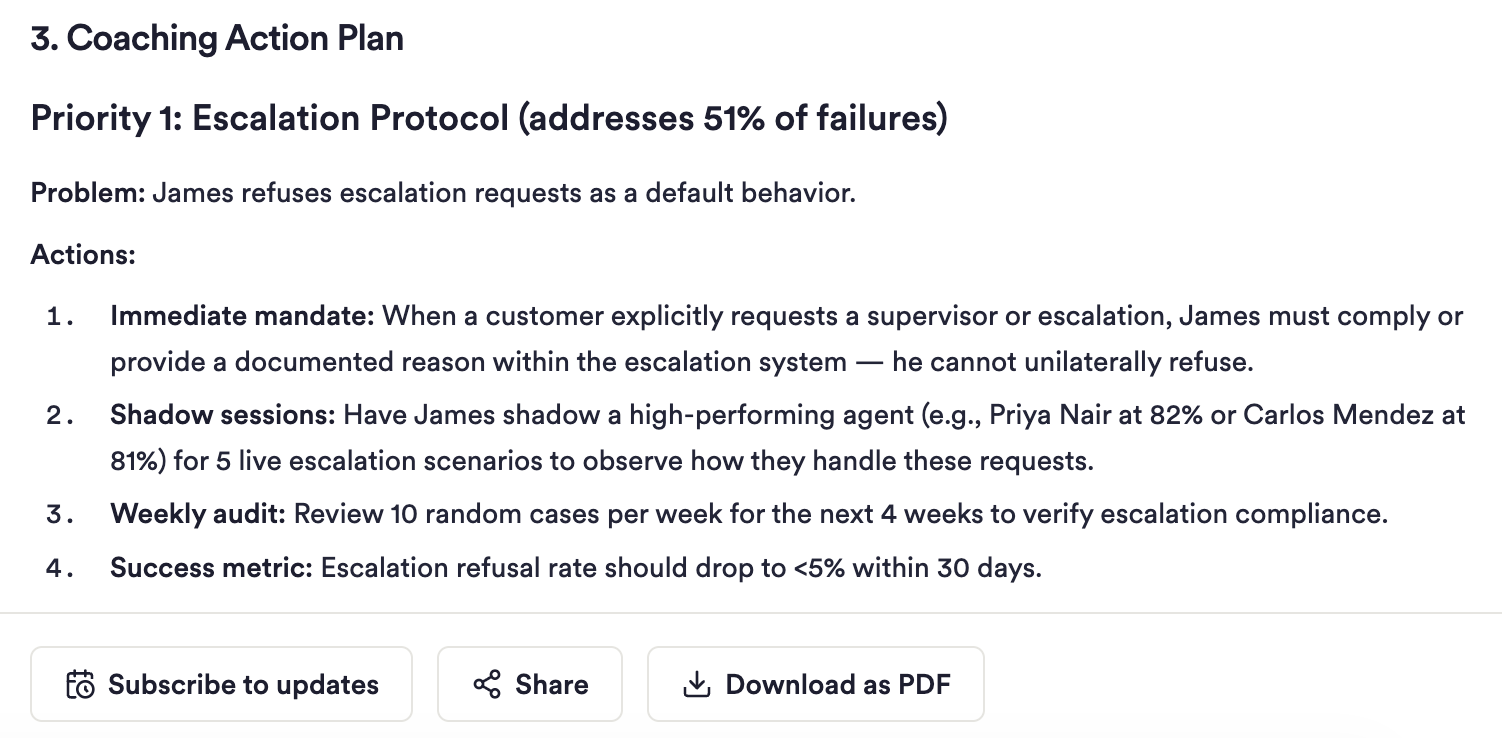
Each agent page has a shortcut button to generate a coaching report. These reports are prompt based, so you can edit the prompt as you wish to curate the reports that best fit your team's needs. You can schedule these reports to be recurring and delivered via email or Slack, allowing you to create reports such as:
A weekly report sent to support agent John S and his manager, outlining the last week's support performance, the historical trend, and opportunities to do better, supported with evidence from specific cases
A weekly report to support manager Sam N, outlining a stack rank of Sam's agents' performance over the last week, and any important trends in the root causes of agents getting 'Needs Improvement' grades.
A monthly report showing the top patterns of reasons for why the support bot did not do a good job handling cases, sent to the support bot engineering team
Boards
The Boards page in Unwrap allows you to create charts tracking resolution rate and quality performance rates over time. You can plot resolution rate broken down by Groups to see what types of contact reasons have higher and lower resolution rates.